

AD
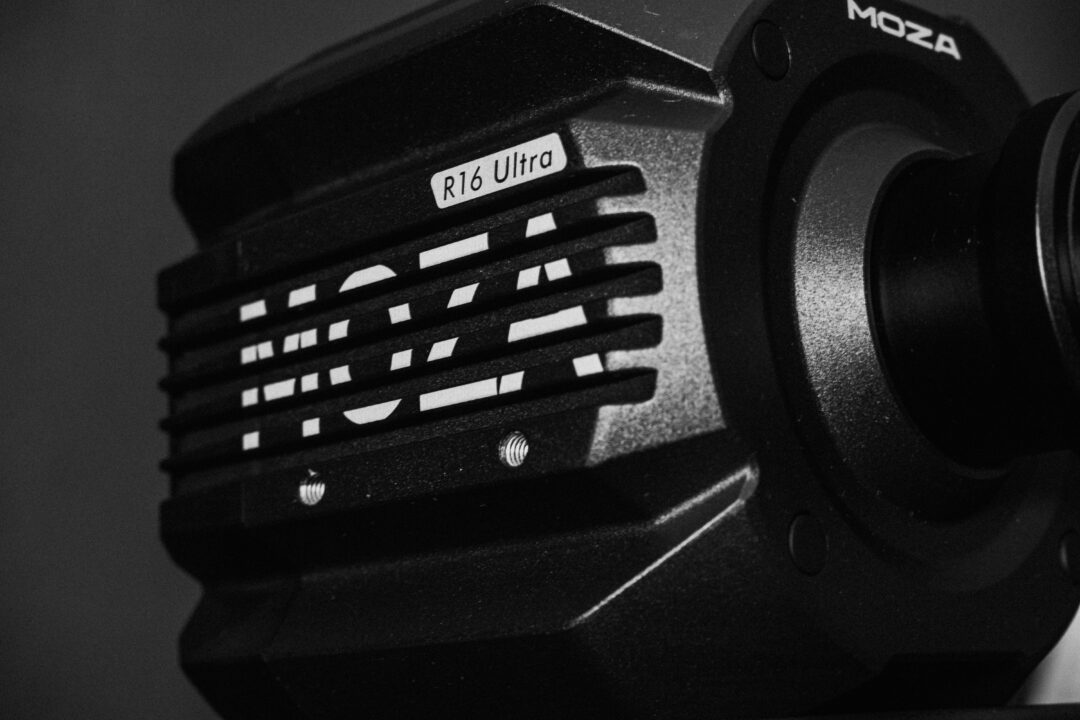
I've been using the MOZA R16 Ultra almost daily for a month now, and it's time to tell you how this successor to the original R16 holds up. If you remember, a while back we tested the MOZA R5 Bundle and wrote a review, but today it's all about the new R16 Ultra on its own, without wheel or pedals. First off, thanks to MOZA for lending it to us ahead of its official market release, so part of this review was done with a beta version of MOZA Pit House, something we'll flag wherever it applies.
Even though this is a unit that was loaned to us, that doesn't affect the review in any way. Everything we write reflects our own opinions and impressions after using it.
Before we dive in, here's a quick rundown of what's under the hood of the base, so you know what to expect before reading on:
- Flat-wire motor with zero cogging technology
- Constant torque of 16Nm (not peak)
- 21-bit magnetic encoder, with 2.09 million points of resolution
- NexGen FFB U1 Force Feedback algorithm
- 360Hz support in iRacing via MOZA Pit House
- Dual RGB strips with real-time telemetry (flags, traction control, pit limiter...)
With that out of the way, let's get into it.
Table of Contents
Packaging and first impressions
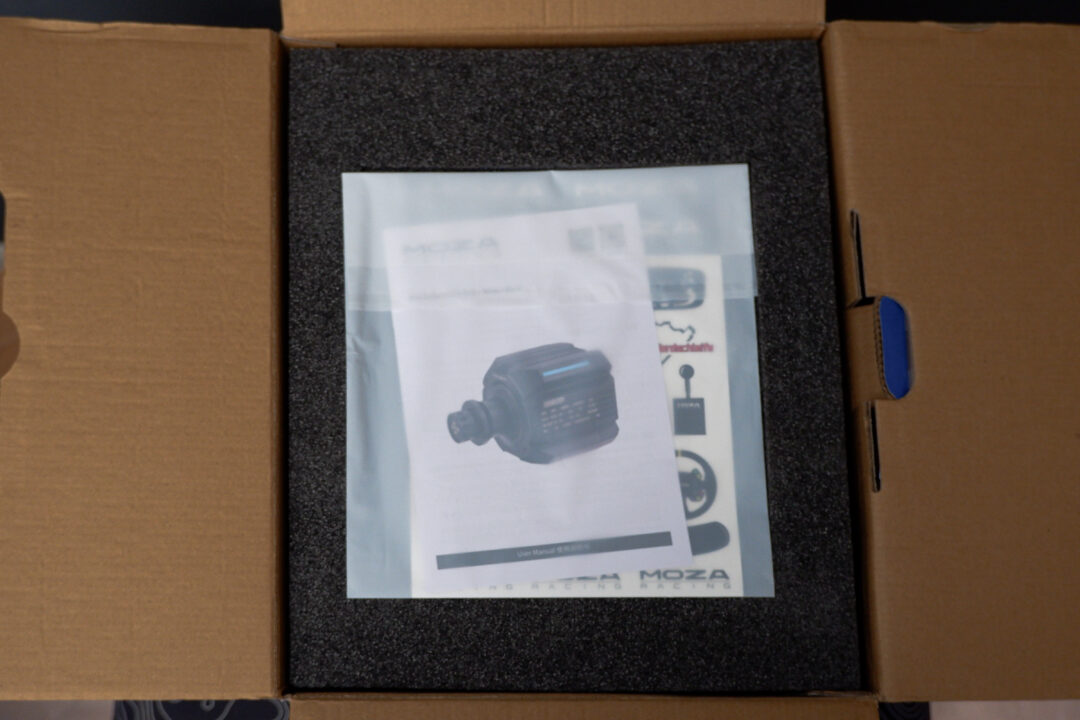
Inside the box you'll find the usual stuff from the MOZA ecosystem: an instruction manual and some stickers that, this time round, I liked quite a bit more than the previous ones because of the variety of designs. It's the same story as always, you'll probably never actually stick them on and they'll end up in a drawer, but it's a nice touch anyway. Once you remove the protective foam, the R16 Ultra base appears wrapped in a cloth bag with the MOZA logo, along with the power supply (which is pretty big, it has to be said), the USB cable, and an allen key together with the screws to mount it to your cockpit. And yes, you do need a cockpit for this base, that sustained 16Nm isn't meant for just any desk mount no matter how sturdy it is.
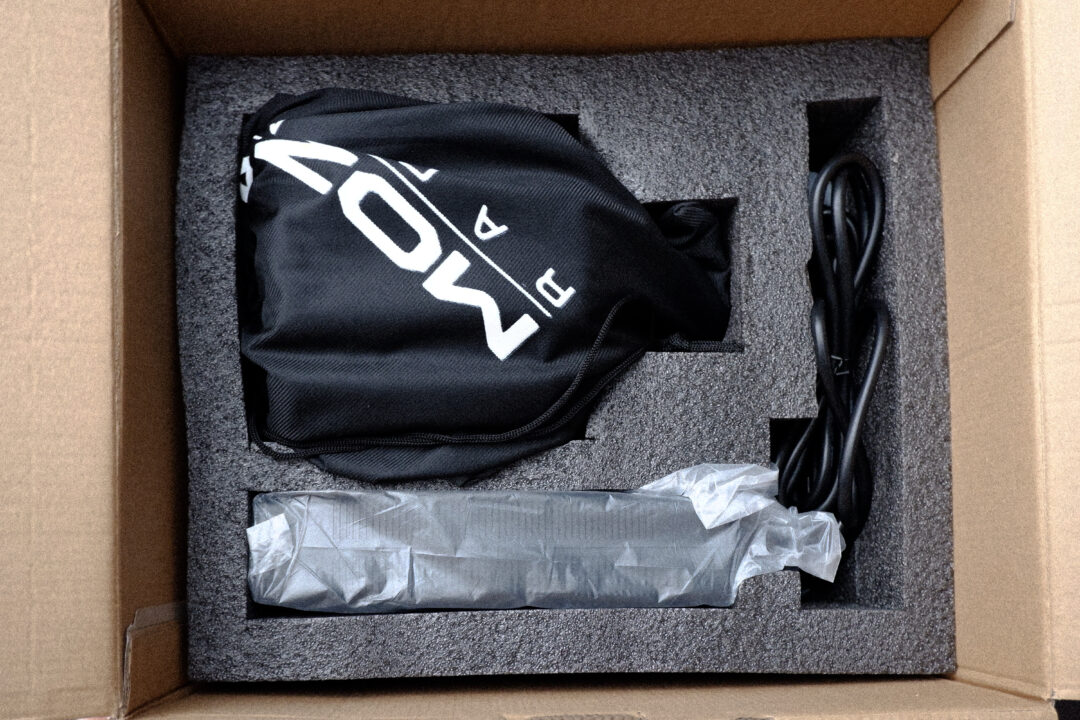
Unable to contain my excitement, I pull off the protective bag, and my first impression is that the base is really small, yet extremely heavy when I try to lift it. It weighs around 12kg, and it's surprising how much it weighs for something so small. In the end, compared to an R12, it has almost the same dimensions, but with that rounded style of the new MOZA bases, it looks smaller.
And here's a personal note: to me this "rounded" style looks worse than the boxier one. At the end of the day it's down to personal taste, and I still prefer the design of the older bases like the R5, R9, or R12, even if this one makes up for it with its little lights.
Something I couldn't wait to try, even without a wheel plugged in, was the zero cogging technology. When you turn the motor by hand, you don't feel any magnetic resistance or stepping sensation, and that alone gives a much smoother feel just by touching it.
Installation and testing
Once the base was mounted to the cockpit with the four screws included in the box on the underside, it was time to switch it on and get it running. As we mentioned, this review was written a month before its market release, so we had to install a beta version of MOZA Pit House for the base to be detected properly. Once the R16 Ultra officially hits stores, the software will prompt you for the corresponding update and will detect it without any extra hassle.
Connections on the base
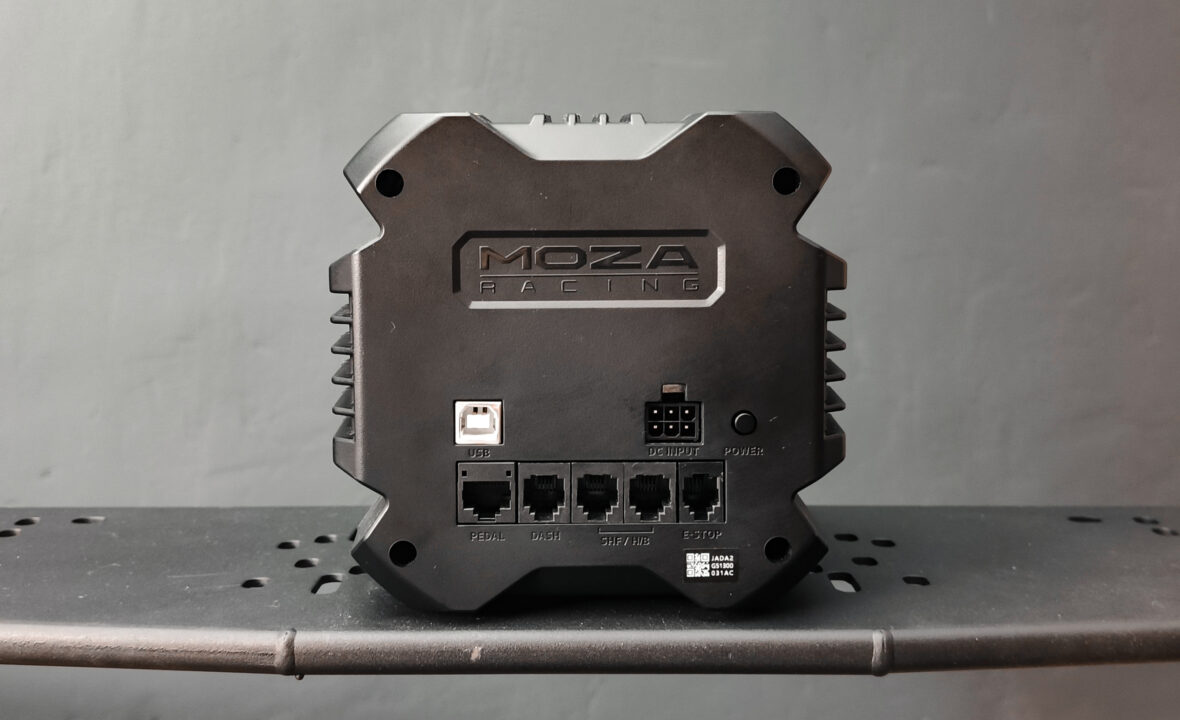
R16 Ultra ports
Once it's mounted, the important part comes when you flip the base over and see all the included connections, along with the power input that drives these 16Nm.
There's nothing out of the ordinary here beyond what we already find on the rest of MOZA's bases. A "Power" button, power and USB ports, and connections for pedals, dashboards, shifters and handbrakes, plus the emergency brake, which wouldn't be a bad idea to have given how powerful this base is.
Zero cogging: the flat-wire motor's big difference
Let's get to the part that really matters: what your hands actually feel while you drive. As soon as you open a sim with the wheel attached, you notice the zero cogging technology of MOZA's new flat-wire motor. We hadn't felt that smoothness while turning before, not even on our MOZA R12 V1, where the cogging was noticeable.
At first I had to tweak the settings because the wheel felt too light. It might just be a matter of habit, but I added 5% friction from Pit House to get back some of that "roughness" that not every sim includes by default in its Force Feedback.
That smoothness also translates into more precision, since you don't notice the motor's steps. It's funny: once the Force Feedback is running, you forget it's even there after a couple of hours. And that's a good sign, because it means the feeling reaches your hands more directly and more accurately, without any noise getting in the way.
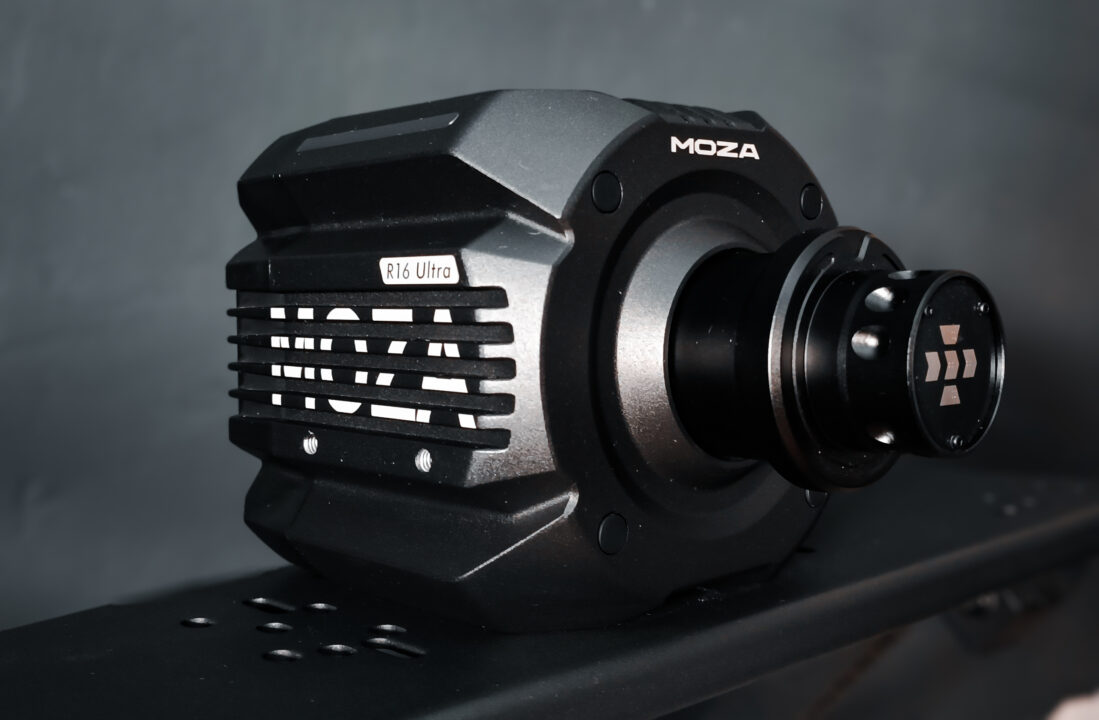
MOZA R16 Ultra
How it feels on track: strength, detail and kerbs
I was coming from an already powerful base, also from MOZA: the R12 V1, which felt like more than enough in strength and feel and which I never managed to hit clipping with, so I started testing the R16 Ultra with a bit of scepticism, thinking that maybe I wouldn't be able to make the most of all that extra power.
And yet, after a good while using it, it's surprising just how much information a hub with a motor inside is able to transmit. You can actually feel which side of the car is riding over a kerb, whether you've had a slight knock, or which wheel has picked up a bit more gravel than the other, just through your hands. More Nm doesn't necessarily mean more constant brute force, but more room to add detail that a less powerful base simply can't reproduce. And on that front, the R16 Ultra gets top marks.
After the first session in Assetto Corsa, which is my go-to sim for testing, I couldn't help blurting out a "bloody hell" out loud, simply because of how much feedback it's able to carry through to your hands.
iRacing at 360Hz and the rest of the sims
We've tested the base on pretty much every sim we have installed, but iRacing wins by a mile thanks to its 360Hz support. I was never much of a fan of this sim because of how limited its Force Feedback settings were, but with this base I feel like that's no longer something to worry about. You set the strength to whatever you're able to handle without ending up wrecked after every race, and just enjoy it.
The contrast comes with Le Mans Ultimate, which hasn't convinced me quite as much. It's quite possibly down to using a beta version of Pit House that isn't 100% compatible yet: I ran into a few bugs with LMU, setup wasn't as plug and play as in other titles, and every now and then I noticed a bit of delay in some of the feedback details. We'll have to take a closer look once the final version of the software is out.
RGB and telemetry in Pit House
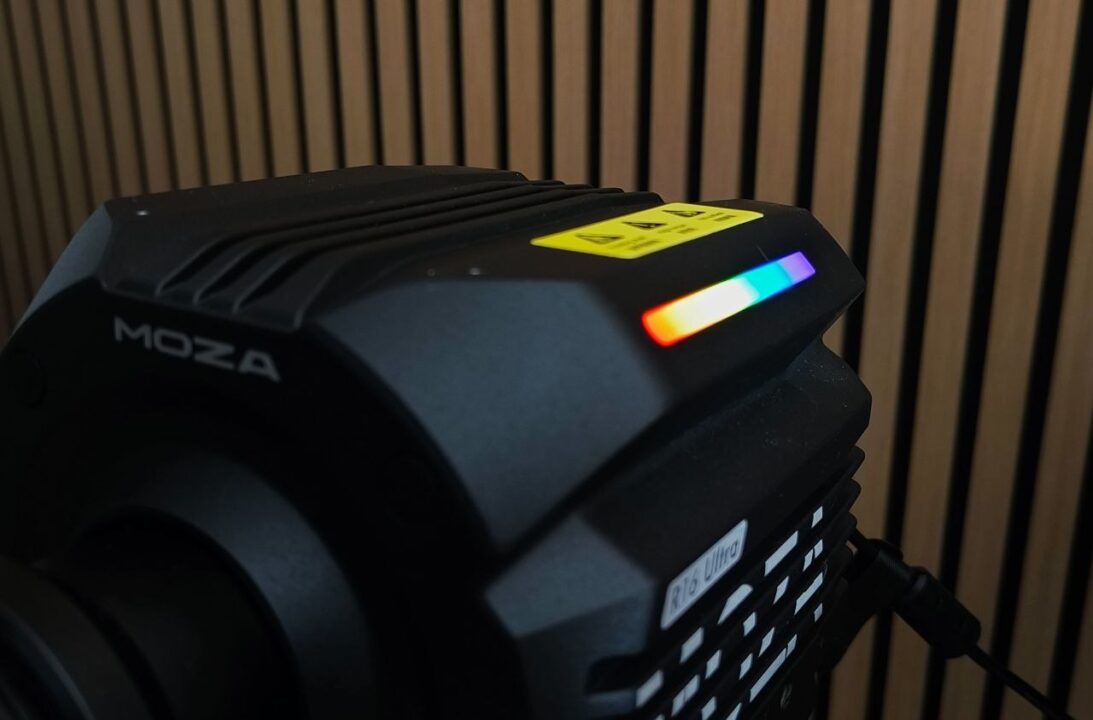
Led strip R16 Ultra
The settings inside the software are the same as on any other MOZA base: FFB adjustment, post-processing, rotation angle, force curve... The difference lies in the settings for the side LED strips, which are meant to display real-time telemetry (yellow flags, traction control, pit limiter...).
We've been using it for now, but being an early version it hasn't always worked as expected, or the sim simply hasn't detected it at all. In iRacing, which does recognise it without any issues, the strip is perfectly visible while you drive and gives you an idea of what's going on even when you're fully focused on the track.
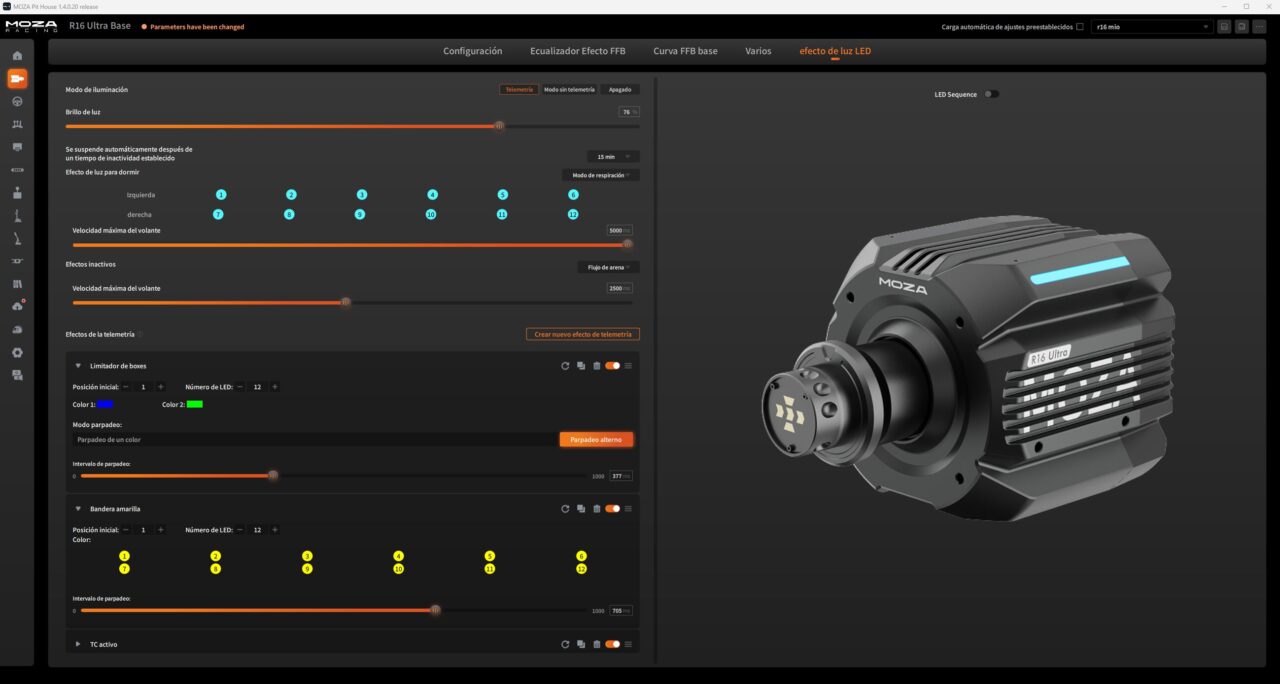
MOZA Pit House R16 Ultra LED Settings
Even so, I'd like to see the settings taken a step further: more telemetry types available, or the option to change the colour of several LEDs at once instead of one by one. In the end this comes down to the software, and we hope MOZA gets more out of this decorative strip over time. That said, you can already adjust the intensity, change the colour depending on the telemetry type, use one side and not the other, or speed up the flashing if you need to.
Thermal management
One of the things I like to keep an eye on with any base is temperature. MOZA, like most brands, includes a system that reduces power if the base overheats, scaling the power back until the base itself cools down.
We haven't noticed any drop in power, but during long sessions it does get pretty hot. I suspect it's down to how compact the aluminium chassis is around such a large motor. It's a tricky thing to fully judge, since I tested it in the middle of summer with a heatwave to boot. The base doesn't get hot enough to burn you, but the aluminium does feel quite warm to the touch after a while of use.
Even so, I haven't noticed any reduction in power on the base with Pit House's more "conservative" setting, which is a good sign.
Price and conclusion
The MOZA R16 Ultra goes on sale for €549. And to be honest, it caught us pleasantly by surprise: we were expecting a price closer to €600 given everything it packs under the hood.
After a month of using it almost daily, it's hard to find any major flaws beyond the temperature during long sessions and the odd hiccup with software that's still in beta. It's a base with more than enough power and a level of detail that makes it hard to imagine wanting to replace it any time soon.
That said, I'm not going to sell you a blind recommendation. I'm coming from a MOZA R12, and if this unit hadn't been loaned to me by MOZA for the review, I probably wouldn't have bought it myself. The reason is simple: 12Nm already felt like more than enough for how I use it.
Now, if you're coming from an R5 or a base from another brand and you've got the budget to get into the MOZA ecosystem, the R16 Ultra does seem like a purchase well worth considering. After testing it, I think 16Nm is just the right amount of power so you won't need to change base until it breaks, or until you fancy jumping to a completely different ecosystem altogether.
Where to buy the MOZA R16 Ultra?
You can check availability and the current price of the MOZA R16 Ultra on the official MOZA Racing website or through the link below:
See you competing!
Have any thoughts?
Share your reaction or leave a quick response, we’d love to hear what you think!
-
 0
0
-
0
-
0
-
0
-
0
-
0